
How to Use Kindle Books with ChatGPT
ChatGPT is most useful for reading when it can see more than a few highlights. BookHalo helps you create transcribed text from Kindle Cloud Reader pages, then use that text for personal summaries, questions, and study notes.
Short version: open a Kindle Cloud Reader book, run BookHalo, unzip the result, and use
full_text.txt as your ChatGPT reading source.Why text matters
Kindle highlights are useful, but they are usually fragments. If you want ChatGPT to compare chapters, find repeated ideas, or turn a dense section into action steps, it needs more context than the sentences you happened to save.
Workflow
- Open a book you can access in Kindle Cloud Reader or Kindle for Web.
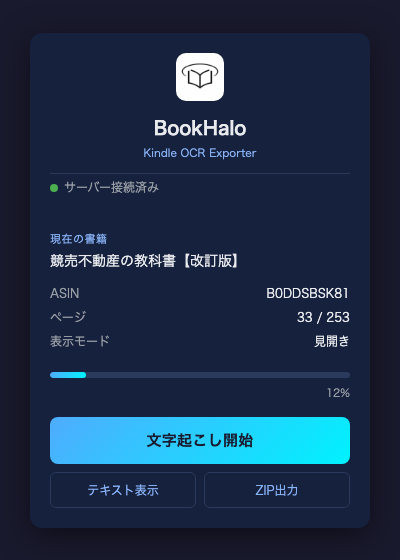
- Start BookHalo from the Chrome toolbar.
- Let BookHalo turn pages, capture visible pages, and transcribe them.
- Download the ZIP with
full_text.txtandbook.pdf. - Use the text file with ChatGPT for your own reading notes, following ChatGPT and Amazon terms.
Useful ChatGPT prompts
Summarize this chapter as five claims.
For each claim, quote or paraphrase the supporting evidence from the text.
Turn this section into a practical checklist I can apply at work.
Keep each item tied to an idea from the source text.List the terms, people, and concepts I should understand before discussing this book.Good fit
- Business and productivity books
- Technical and professional books
- Nonfiction books with dense arguments
- Novels you want to discuss thematically
Limits
BookHalo transcribes page images, so text can contain errors. Use it for understanding and personal notes. For exact quotation, citation, legal work, or publication, verify against the original Kindle page.
BookHalo creates transcribed text and a reference PDF from Kindle Cloud Reader pages.
Open BookHalo on Chrome Web Store