
Convert Kindle Pages to Plain Text
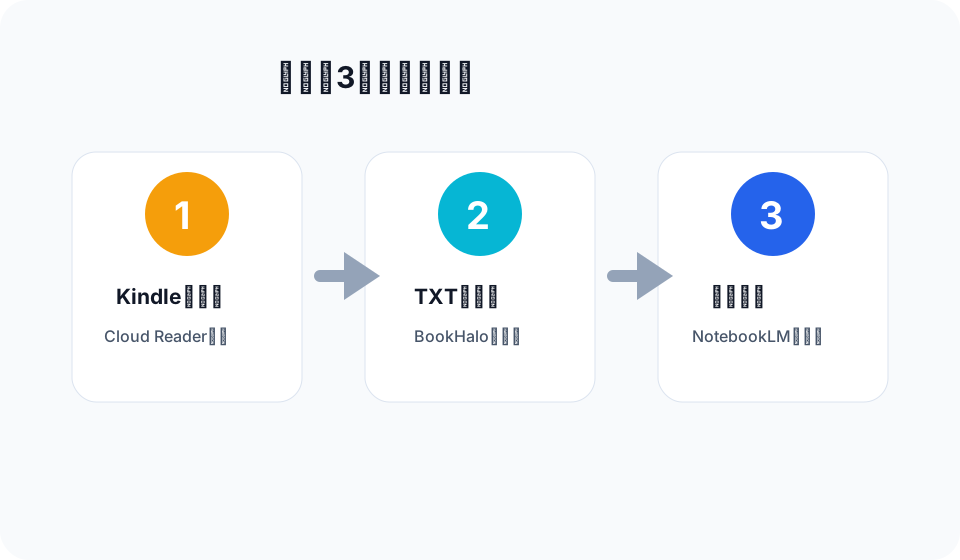
Plain text is often the easiest format for reading notes, search, and AI tools. BookHalo creates transcribed text from Kindle Cloud Reader pages and bundles it with a reference PDF.
Output: the main file is
full_text.txt. The ZIP can also include page-level text files and book.pdf for visual reference.Why plain text is useful
- It is easy to search with standard tools.
- It is easy to inspect before using it in AI tools.
- It works across NotebookLM, ChatGPT, Claude, Obsidian, Notion, and other note workflows.
- It avoids relying on another service to process a large image-only PDF.
How to create it
- Open a book in Kindle Cloud Reader.
- Click BookHalo and start transcribing.
- Wait for capture and transcription to finish.
- Download the ZIP and open
full_text.txt.
Best use cases
- Personal reading notes
- Searchable study material
- Chapter summaries
- AI source files for personal review
Accuracy note
Transcribed text is not perfect. It is usually useful for understanding and study, but exact quotations should be checked against the original page.
BookHalo creates transcribed text from Kindle Cloud Reader pages in one flow.
Open BookHalo on Chrome Web Store